Konova

Showing posts with label iPad. Show all posts

Sunday, December 22, 2013

AirServer - Mirror Your iPhone, iPad on your Mac OS X.


This is an excellent way to mirror what's on your ipad or iphone to your Macbook.

Saturday, July 6, 2013

[Review] - Apogee MiC for Professional Studio Quality Recording (foriPad/iPhone/Mac)


Great accessory to assist you in producing a better audio quality for your Youtube videos or Podcasts.

Here's a VIDEO Review.


Friday, January 4, 2013

Tracking my Portable Muzetto Purchase from Waterfield Designs


Recently, I made a purchase of the Portable Muzetto Leather bag from Waterfield Designs. The purchase is made before Christmas and surprisingly they shipped it on Dec. 24, 2012!
Here's the update of the delivery:


I am expecting that it will be arriving today via Pos Laju (as the courier for USPS).


Update (Jan. 6, 2013)


I have someone waiting at home on Jan. 4 at that time but no Pos Laju arrived or leave any message! They lied regarding "unable to deliver item due to addressee not around at time of delivery"! I don't think they even tried to deliver and simply said there is no people at home!

Update (Jan. 7, 2013)

The courier is attempting another delivery today. Hopefully it will arrive.


Sunday, November 11, 2012

Purchased - CloudFTP

New Kid in The Block
Purchased at Harvey Norman, Pavillion KL today
Price: RM 399

It creates an AdHoc WiFi network and let your iPhone, iPad and Macbook to access any USB devices attache to it.
I connect my Passport 1 TB USB drive and it stream videos seamlessly.
You need to access via Safari browser though.

Existing Firmware is V14.
Downloaded Version 24.

[HOW-TO] - Update CloudFTP Firmware

Please follow the steps below to update firmware on CloudFTP (iUSBPort)
1.) Download the current firmware Version 24.12.) After it is download, unzip and rename it as "WD7START.SEF"3.) Save the firmware into an USB flash drive4.) Insert the USB flash drive to CloudFTP and power it up.

5.) The screen will shows "Update ?" to v24 and press the power button to confirm.

6.) Update will run automatically, and shut off once it is finished.7.) Reboot the unit and the firmware update is completed.

Tuesday, January 3, 2012

Apple vs Google. "Closed" vs "Open".

Steve & Apple Inc.Image by marcopako  via Flickr

I hate when some people give name calling to companies like Apple. Below is my respond to one of the Forum post in Low Yat Net.
This is also a continuation of my article posted regarding "Are you an Android or iOS Fan?"

------------------------------------------------------

Both Apple and Google have to different business strategy.
You cannot simply start calling names Apple as "n00bs" market segment or "kiddie toys" when you don't know how much Apple is worth as a Company nowadays.

Google makes money out of its advertising business. Thus, data, information and knowledge is very important for them. Google is not in the business of hardware like Apple. That's why they gave out Android almost for free (or totally free probably) to handset makers. Google is very clever in trying to make all smartphones to have Android. When people use their device, they will capture the user profile. Smartphones are more personal than normal desktops. Thus, usage of smartphones can be leverage by Google for Advertisements. Users are being profiled this way.

Now Google is moving another step further into the realm of "Internet of Things" or IoT. Why Google is interested in this? My personal opinion is that they would like to capture the profile of "Things" such as Fridge, Cars, Electrical appliances etc. These "things" will have sensors that sends out data. And this data is what Google is interested. In future, Google will exactly know what devices or "things" in your house and what are your buying preferences (brands, types etc).

But Apple Inc, is not trying to capture this market. They have tried to open their Macintosh OS to other hardware players previously but it failed. To understand why Apple have a "closed" system is to understand Apple history and how Steve Jobs built the Company. This is a long story and I suggest read the latest "Steve Jobs" book. But to make it short, Steve wanted to make his product a perfect product and closed. That's why people even have difficulty to open up Apple products without a proper tool (Apple even design a special screwdriver to open up their product). They don't even allow user to change the iPhone battery so easily! (Take a look at Samsung phone - see how many people in the Forum is trying to buy spare batteries!!).

Steve Jobs is meticulous in designing Apple products. Before Steve joined back Apple, the company has so many products that they need a Chart to show the product line. Steve terminated so many and finally chose a few to continue. Apple iOS is closed and they never allow users to mod it. But the hackers are always 1-step ahead of Apple. This cat-and-mouse game of Jailbreaking will always continue but that's what excite some of the users.

But why Apple chose a "closed" system as their business strategy? Apple not only in the software business but also in hardware business (unlike Google). Thus, selling hardware is also their main business and the only way is to ensure they control the Quality of their products is to have a "closed" system. Apple has Millions of users even before they launched iPhones. iPods and iTunes are the beginning of their Apple eco-system - now they have entered the music industry with iTunes and iPods/iPod Touch, TV industry with their Apple TV, phone industry with their iPhones, Games and Media industry with their iPads, Computing industry with their Macs and Cloud business with their iCloud.
As for the "closed eco-system" users, they will benefit from high quality and seamless usage experience (if you were to choose all products from Apple). What's more important for these kind of users are productivity and change the world with Apple products. Unlike most Android users who always "kill their time" with "modding" their gadgets but not doing so much about productivity (my personal opinion when reading the Forum posts).

Thus - Apple is not a eyeing a "n00b" market segment and neither its iPhone is a "kiddie" toy.
Learn more about both Companies and you will respect both of them. Its either you are in the "open" market segment or "closed" market" segment.

Its either you love it or hate it.

Wednesday, December 28, 2011

[HOW-TO]: Fix "This device isn’t eligible for the requested build" Problem

I have this problem when I tried to upgrade my iPad 1 to iOS 5.0.1. Each time I tried I got the following message: “The iPad "your_ipad_name" could not be restored . This device isn’t eligible for the requested build.“

Thankfully the solution is simple and falls into one of two areas:

  1. The iOS version that’s been downloaded isn’t the right one for the device.
  2. There’s an entry in your host file redirecting Apple traffic to another location.

In most cases, it’ll be the second option.

Mac OS X

1. On your Mac, open your Applications folder.

2. Navigate to the Utilities folder.

3. Open Terminal.

4. Type “sudo nano /etc/hosts” (without quotes) and press enter.

5. Enter your password

6. Use the down arrow key to find the gs.apple.com entries. Once the cursor is in front, make sure you comment out the line(s) by entering # in front of the text.
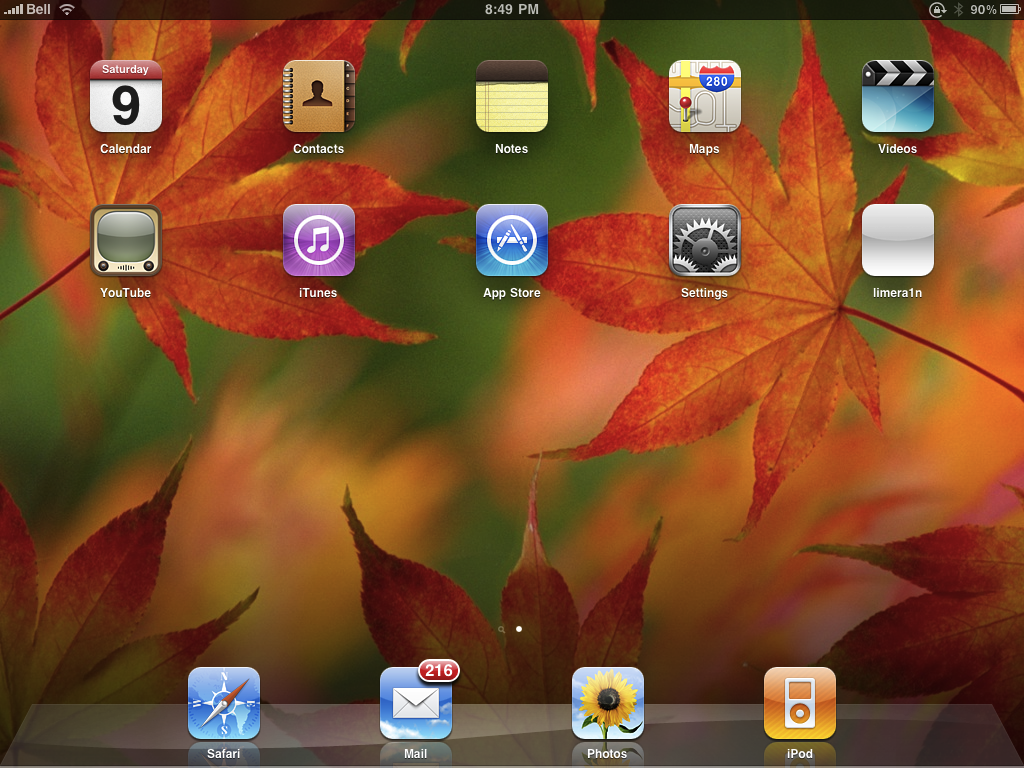
7. Save the file by pressing CONTROL+O.
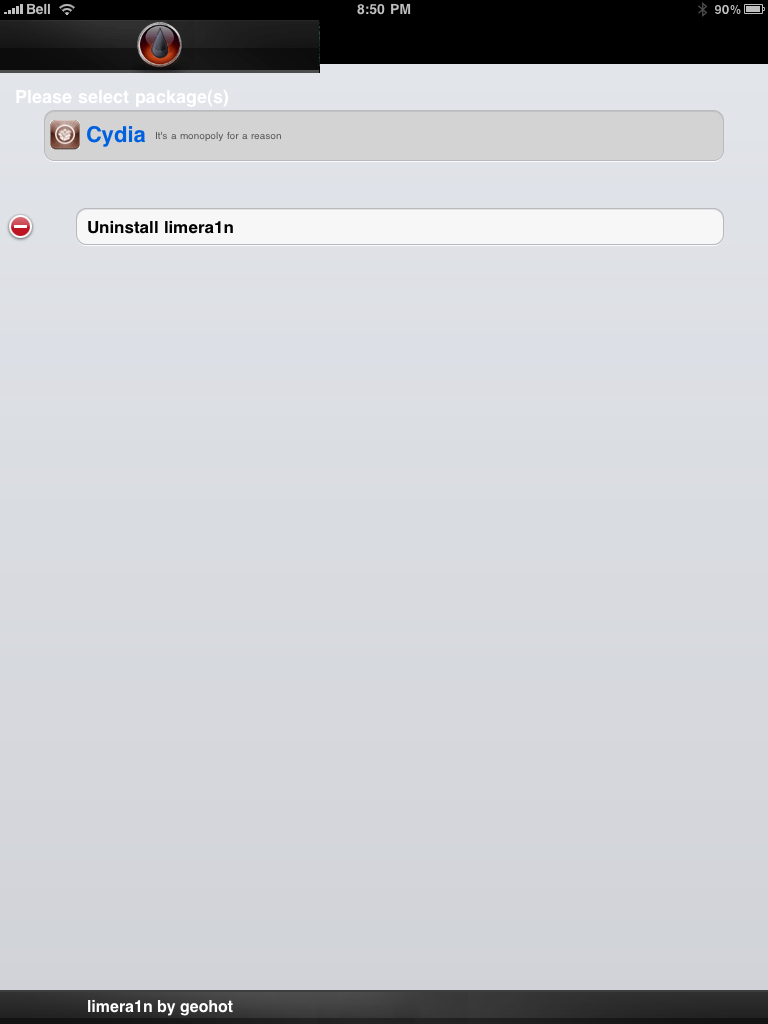
8. Exit the nano editor by pressing CONTROL+X.

9. Restore your iDevice.


Windows

1. Press Start, then Programs, then Accessories

2. Launch Notepad or WordPad

3. Click Open from File menu.

4. Browse to Windows/System32/drivers/etc

5. In “files of type:” select all documents

6. Open “hosts”

7. Delete all line that have gs.apple.com or similar

8. Hit Save

9. Restore your device

You should now be sorted and up and running! Please feel free to share your experiences in the comments section below.

[HOW-TO] - Jailbreak iOS 5.0.1 Untethered On iPhone3GS, iPhone4, iPhone4-CDMA, iPad1, iPod touch 3G, iPod touch 4G (A4 Devices) Using Redsn0w 0.9.10b1

Notes from Dev-Team:
Here are the basic steps for how to get it:
  • The untether is for iOS 5.0.1 on iPhone3GS, iPhone4, iPhone4-CDMA, iPad1, iPod touch 3G, iPod touch 4G
  • If you have one of those devices and are not on 5.0.1 yet, update now! The SHSH window is still open for 5.0.1 If you unlock via ultrasn0w or gevey, make sure you only get to 5.0.1 via a custom IPSW! See the guides at places like iClarified.com if you don’t know how. Once you’re at 5.0.1, use the latest redsn0w 0.9.10 to both jailbreak and untether.
  • If you’re already at 5.0.1 with a tethered jailbreak, you have two choices: either run redsn0w 0.9.10 over your current jailbreak (deselect “Install Cydia” if you do that), or install the Cydia package prepared by the chronic devteam. The patches are the same regardless of which you choose.
  • Some of you are using a hybrid 5.0/5.0.1 configuration. If so, do not attempt to install this untether over that setup! You will most likely get into a reboot cycle. Do a sync and fresh restore to 5.0.1 then install the jailbreak + untether.


For Users On Stock iOS 5.0.1:

If your device is running stock iOS 5.0.1 then you can use download the latest Redsn0w 0.9.10b1 to for either Windows or Mac to give yourself an untethered jailbreak, instructions for which can be found below.


Here are the redsn0w download links:
UPDATE (Dec. 30, 2011): 
Here are the redsn0w download links:


Step 1: Download the latest version of Redsn0w from the links given above.

Step 2: Start Redsn0w, select "Jailbreak" then check "Install Cydia". Follow the onscreen steps to place your device into DFU mode. Quickly hold “Power” button and then while holding the “Power” button, you will now have to hold “Home” button too. Now after few seconds release “Power” button but keep holding “Home” button until installation begins.

Step 3: Wait for Redsn0w to apply the full untethered jailbreak!

Once done, your iPhone, iPad or iPod touch will be rebooted into fully untethered jailbreak mode!

Check this youtube video.

Sunday, April 3, 2011

10Watt Charger for iPad

Purchased: Mac Studio Low Yat Plaza
Price: RM 99


- Posted using BlogPress from my iPhone 4

Monday, January 24, 2011

Bought an Apple TV 2G and Compass iPad Stand

I was thinking of getting something special for a special day (Jan. 23, 2011). Finally, I bought and iPad bag and also Apple TV 2G and iPad Stand from twelvesouth  Compass.


There is a good number of reviews --> HERE.

Sunday, October 10, 2010

How To: Jailbreak iPad iOS 3.2.2 Using Limera1n [Windows]

Limera1n supports the following:
  • iPhone 3GS, 
  • iPod Touch 3G, 
  • iPad
  • iPhone 4, 
  • iPod Touch 4G 
  • For all iOS 4.0-4.1 and beyond+++
ACKNOWLEDGEMENT SOURCE: iClarified
Step One
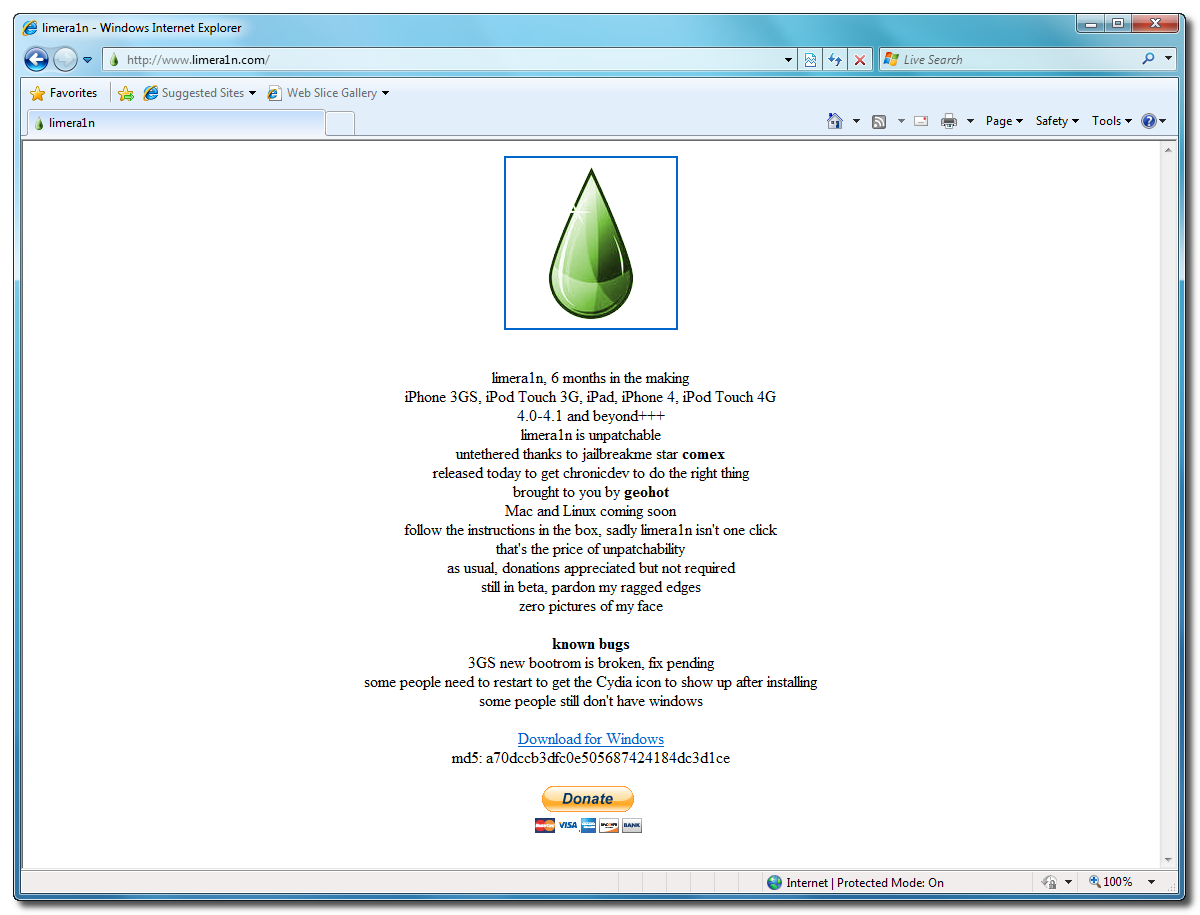
Open your web browser of choice and navigate to http://www.limera1n.com. Click the Download for Windows link at the bottom of the screen.


Step Two
When prompted save the download to your desktop


Step Three
Double click the limera1n.exe file from the desktop to launch the application


Step Four
Click the large make it ra1n button


Step Five
You iPad will now be placed in recovery mode. 


Press both the power and the home buttons.


When Limera1n asks you to, release the power button.


Your phone will now be in DFU mode


As limera1n performs its exploit you will see the image of a lime raindrop on your iPad. 


Limera1n will let you know when it is complete.


Step Six
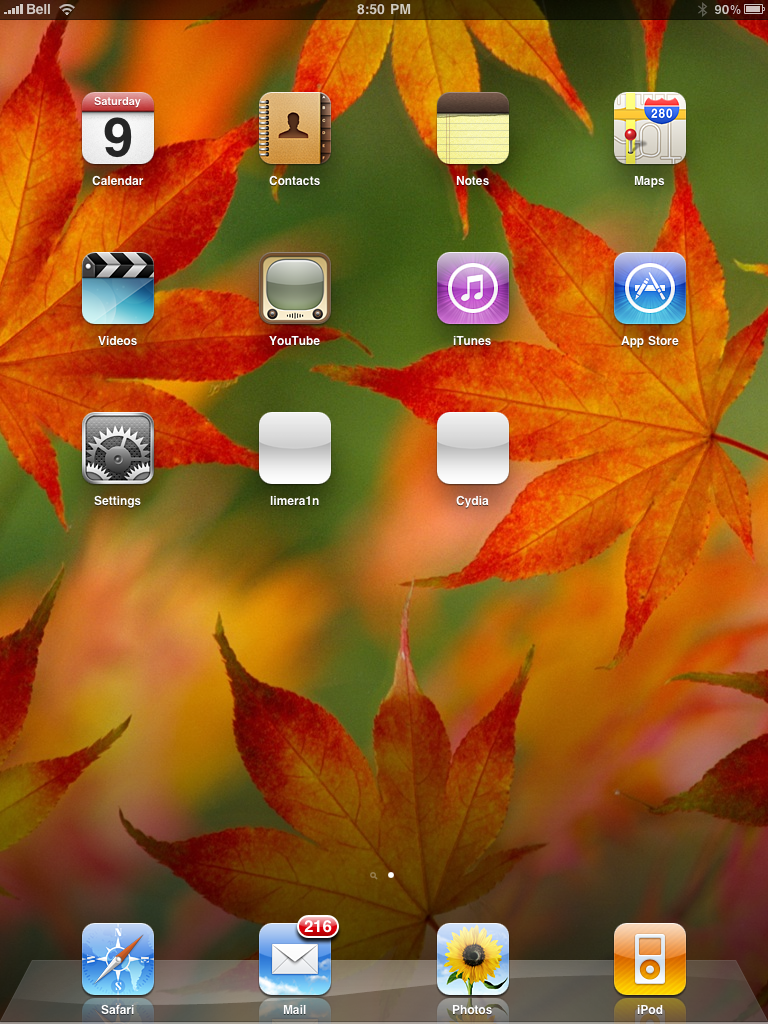
After you power back on your iPad you will see a new icon on the SpringBoard entitled limera1n. Press it to continue.


Step Seven
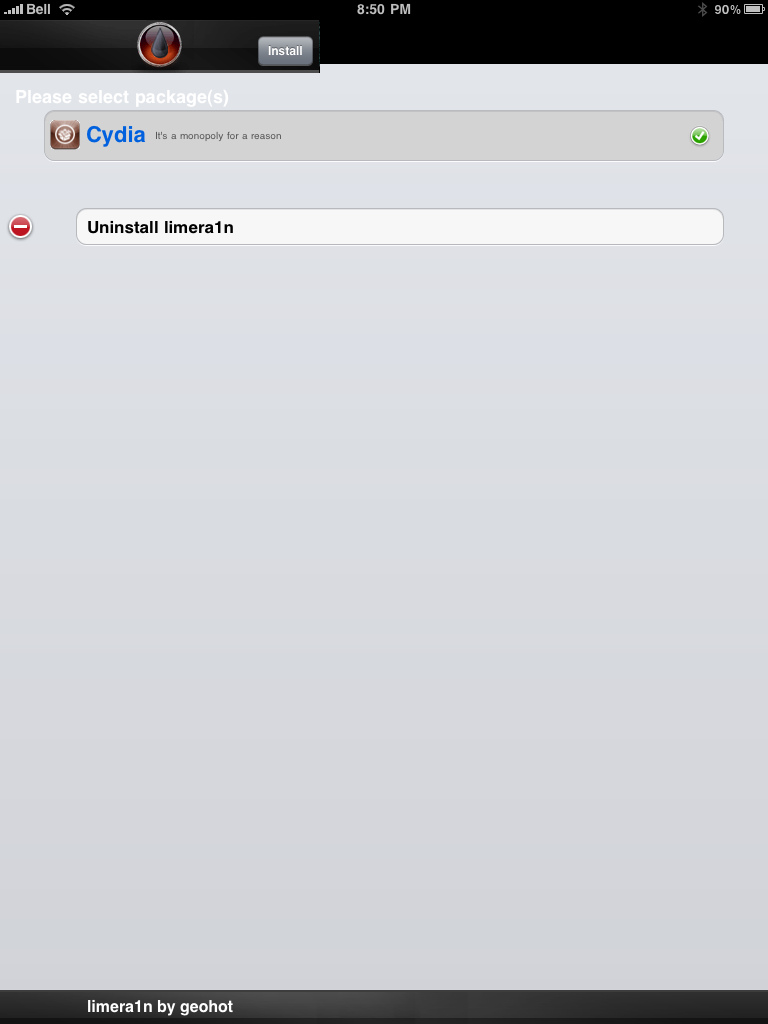
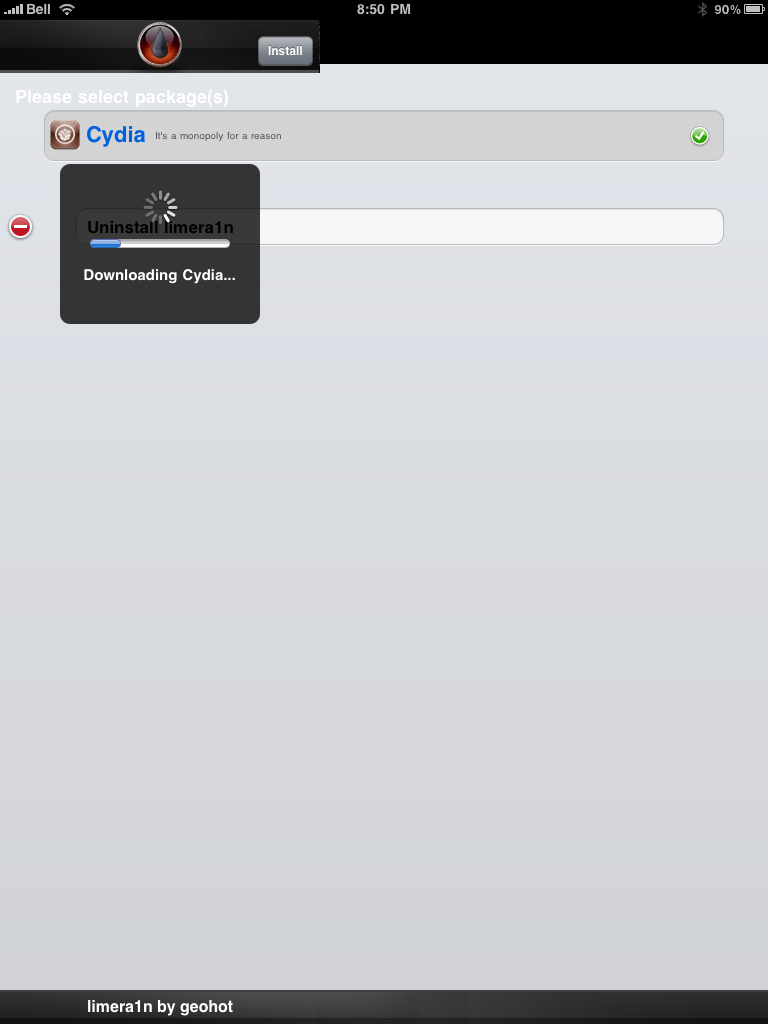
Once Limera1n opens select Cydia then press the Install button at the top right of the screen.


Step Eight
Once the Cydia installation has completed you must reboot your iPad.


Step Nine
When your iPad has restarted you can run Cydia. Let it do all the necessary updates.


NOTE*: To remove the limera1n icon from your desktop you can install CyDelete from Cydia then use it to delete the application. Eventually this capability should be present in limera1n itself.

***A big thanks goes everyone who made this jailbreak possible

Saturday, September 4, 2010

Review: Flipboard for iPad

Flipboard enables you to view, in a magazine-style format, your Twitter and Facebook feeds. Here is why this is different, worth paying attention to:
  • You can put Twitter lists, search terms, or individuals into their own sections and view these streams. While Tweetdeck, and others, achieve the same results via columns the Flipboard experience is better.
  • As you dive into the sections you have defined you see a mix of individual tweets and, the real win, you see the articles that people were tweeting. You no longer need to click upon random URLs to decide if you want to view the content. Instead, the graphics and text of the original article are right there in front of you. Not happy with seeing the page rendered in Flipboard, just click “Read on Web” and you are off into the browser to view it directly on the original site.
  • You can see who else has retweeted the article and choose to follow, if desired, as well as reply, RT, or share the article via e-mail.


On the main screen of Flipboard, you have 9 different feeds with one Facebook account and one personal Twitter account. However, you can delete any of the account feeds and replace with your own favorites.


@mazlan_abbas


@doc_ipad


Default Twitter account


@taimurasad is one of favorite writers from Redmond Pie


@coveringweb is another site which have great Apple Reviews


@staronline is Malaysia's The Star Online Newspape


ShareThis

LinkWithin

Related Posts Plugin for WordPress, Blogger...