

Showing posts with label Limera1n. Show all posts
Showing posts with label Limera1n. Show all posts
Friday, October 15, 2010

Tuesday, October 12, 2010
How To: Unlock iPhone 4 iOS 4.1 Using LimeSn0w
- This is what happen when the long awaited GreenPois0n have been so much hyped but late in delivery.
- It seems that Geohot is the Knight in Shining Armour when he release the Limera1n Jailbreak for nearly all iOS devices.
- It seems he will make another surprise with the release of LimeSn0w to unlock the iPhones.

- Watch out for the Guide on how to LimeSn0w Jailbreak soon!
Monday, October 11, 2010
My MyWi is Back!
- Thanks to Limera1n for the Jailbreak, I am now able to get my MyWi working again for my iPhone 4 iOS 4.1
- Since Cydia have acquired Rock, all my purchase at Rock have been transferred to Cydia.
- Thus, I need to associate my Rock Account with Cydia Store to transfer the purchased MyWi to my iPhone.

- Posted using BlogPress from my iPhone
Limera1n - Let It Ra1n...!!
- There are things which you cannot wait and one of them is Jailbreak the iPhone 4 iOS 4.1. I have waited this for so long and as mentioned in my previous post - We have been "GreenPois0ned"..!
- Since Geohot have released its Limera1n solution and GreenPois0n has simply delayed their release because the Dev Team don't want to expose two exploits at the same time, thus, there is no other way but to "Make It Ra1n"...!
- I encountered a slight problem when I restore from my iOS 4.0.2 to iOS 4.1, the iPhone 4 always have an unknown error 1004 and showed the iTunes cable. Restoring it again doesn't work. Finally, I tried Tiny Umbrella to "Kick Device Out of Recovery". Finally, I managed to restore from my backup.


HERE ARE THE STEPS:
- Download Limera1n for Windows here.
- Link your iPhone using the USB with your PC and hit Make it ra1n when a prompter appears.
- As the device enters the Recovery mode, hold the Home + Power button and then release thePower button. This would then initiate the DFU mode.
- With the above procedures performed you will now see the Limera1n logo on the iPhone screen. It is here that Limera1n will take charge and Jailbreak your iPhone for good.
- You can then start the Limer1n app and run Cydia. Upon the completion of the Cydia installation restart your iPhone and praise Geohot for this jailbreak!
Sunday, October 10, 2010
GreenPois0n Will Be Delayed - Thanks to Limera1n !!

- This is what happens when Chronic Dev Team take their time to launch the long awaited GreenPois0n.
- Geohot quickly beat the Dev Team with his Limera1n Jailbreak tool.
- It seems that MuscleNerd and comex will delay GreenPois0n while implementing the Limera1n exploit.
- With this new annoucement, most probably a lot of GreenPois0n fans will take the plunge and use Limera1n.
Limera1n - A Word of Caution
Here's some words of caution from Dev Team which was posted today:
After a few very dramatic days in the jailbreak community, geohot has come out of nowhere to release limera1n. It’s a bootrom-level jailbreak that works on the iPhone3GS, iPhone4, iPod touch 3G, iPod touch 4G, the iPad, and (technically) the AppleTV 2G.
DO NOT USE LIMERA1N IF YOU USE THE ULTRASN0W CARRIER UNLOCK — wait for PwnageTool to incorporate the limera1n exploit. This is so that you can avoid updating your baseband and losing the unlock (possibly forever).
Limera1n uses a different exploit than SHAtter, and in fact covers more devices. Although some may question geohot’s dramatic and competitive style, he obviously does have considerable skill pulling this together in just over a day (although he’s had the underlying exploit for months). Credit also goes to @comex, who provides the untethered aspect of limera1n via another one of his growing list of kernel hacks.
The release of limera1n has (hopefully!) averted the burning of 2 bootrom holes at once (both his and SHAtter). Releasing SHAtter now would be a complete waste of a perfectly good bootrom hole in light of limera1n, and so it can be held until Apple closes limera1n’s hole. While there’s no guarantee that Apple won’t also close SHAtter by then, it provides a ray of hope for devices after Apple’s bootrom respin. Meanwhile, look for alternate implementations of the limera1n exploit in greenpois0n and possibly other tools too.
Limera1n does have some issues, and geohot typically works these out in subsequent (and rapid) releases.
How To: Jailbreak iPad iOS 3.2.2 Using Limera1n [Windows]
Limera1n supports the following:
Step One
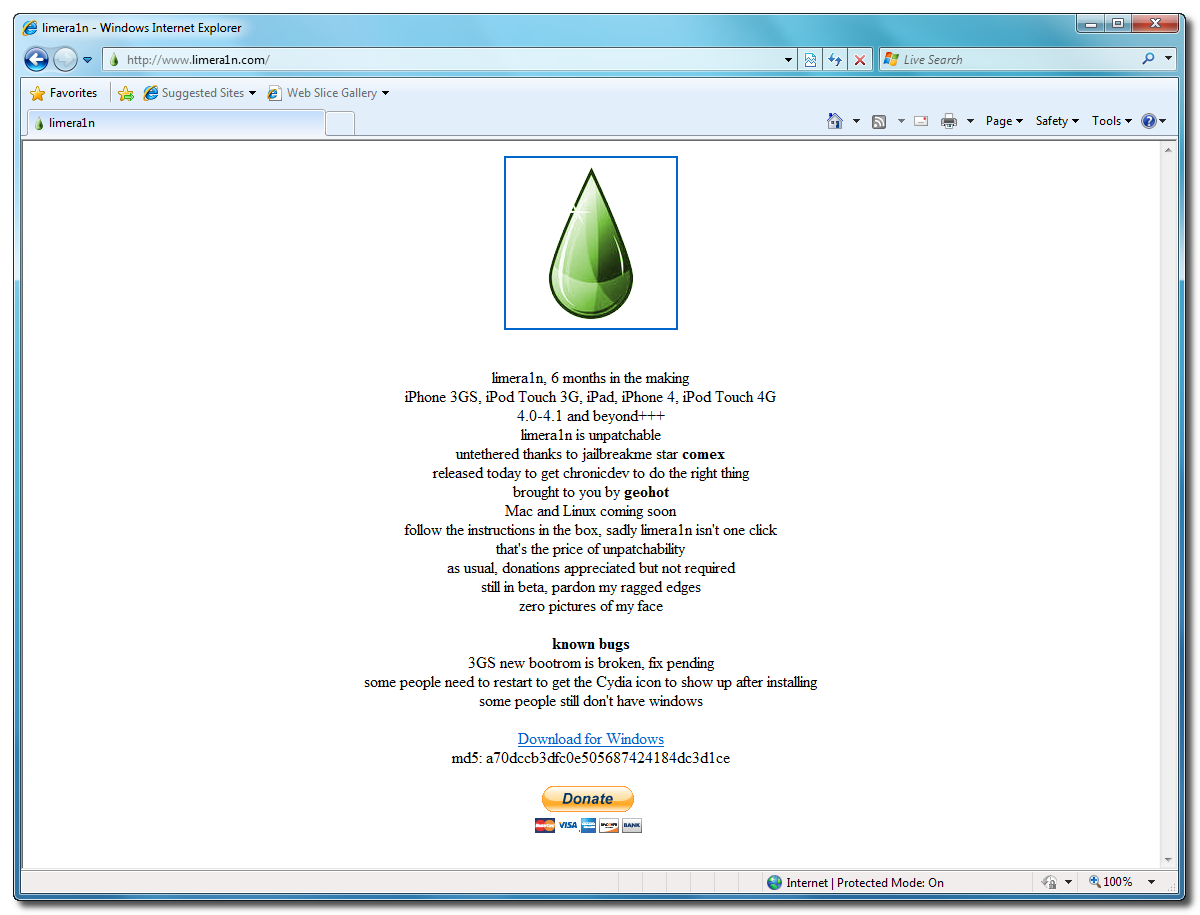
Open your web browser of choice and navigate to http://www.limera1n.com. Click the Download for Windows link at the bottom of the screen.

Step Two
When prompted save the download to your desktop

Step Three
Double click the limera1n.exe file from the desktop to launch the application

Step Four
Click the large make it ra1n button

Step Five
You iPad will now be placed in recovery mode.

Press both the power and the home buttons.

When Limera1n asks you to, release the power button.

Your phone will now be in DFU mode

As limera1n performs its exploit you will see the image of a lime raindrop on your iPad.

Limera1n will let you know when it is complete.


Step Six
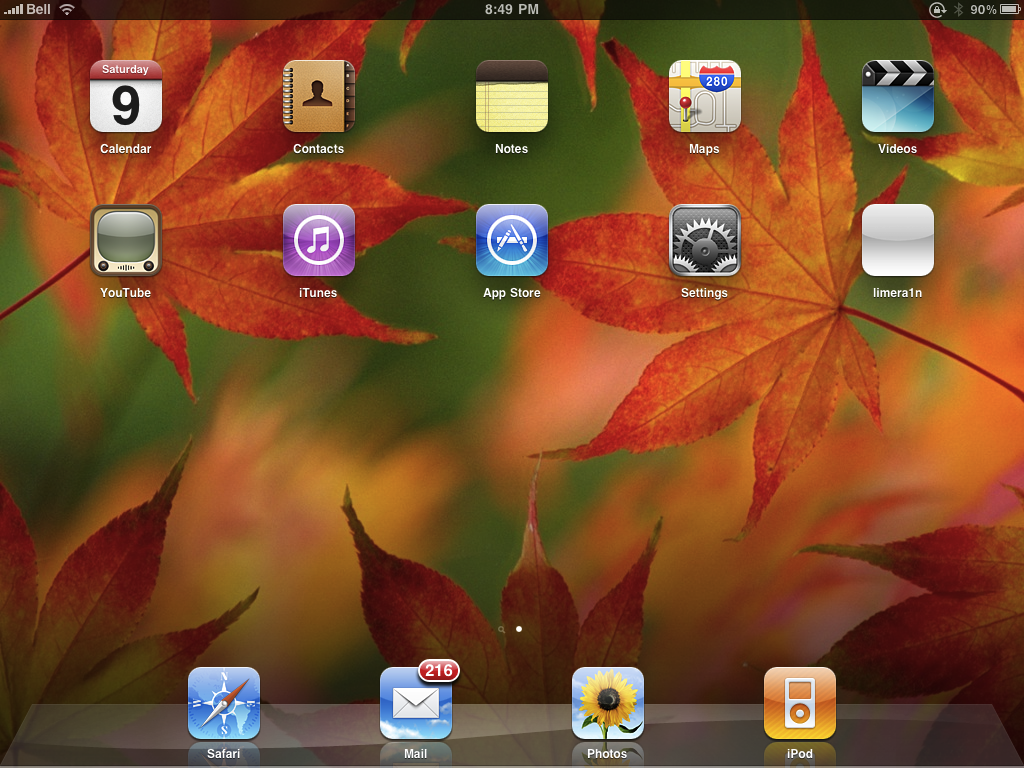
After you power back on your iPad you will see a new icon on the SpringBoard entitled limera1n. Press it to continue.

Step Seven
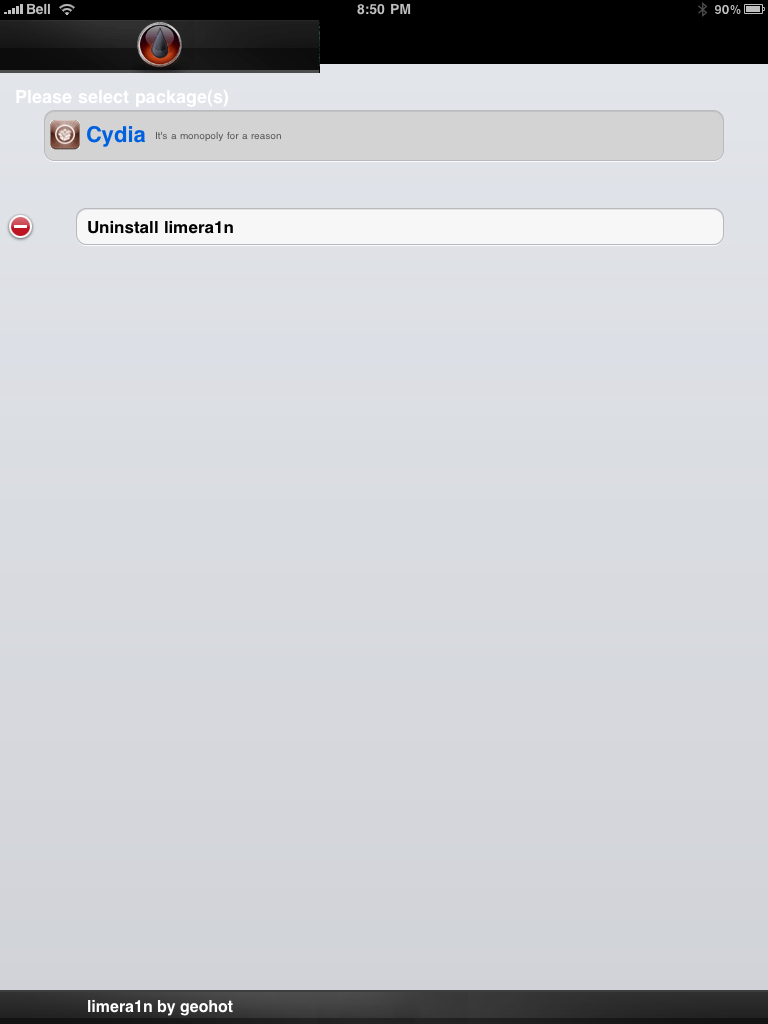
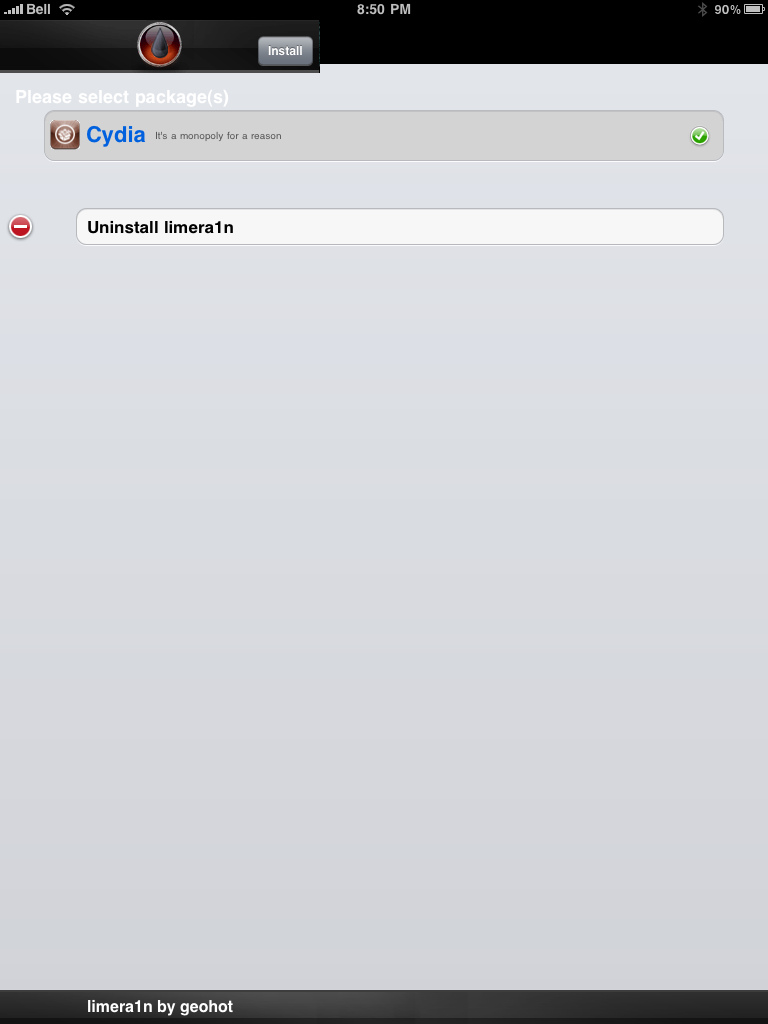
Once Limera1n opens select Cydia then press the Install button at the top right of the screen.


Step Eight
Once the Cydia installation has completed you must reboot your iPad.


Step Nine
When your iPad has restarted you can run Cydia. Let it do all the necessary updates.

NOTE*: To remove the limera1n icon from your desktop you can install CyDelete from Cydia then use it to delete the application. Eventually this capability should be present in limera1n itself.
***A big thanks goes everyone who made this jailbreak possible
- iPhone 3GS,
- iPod Touch 3G,
- iPad
- iPhone 4,
- iPod Touch 4G
- For all iOS 4.0-4.1 and beyond+++
Step One
Open your web browser of choice and navigate to http://www.limera1n.com. Click the Download for Windows link at the bottom of the screen.
Step Two
When prompted save the download to your desktop
Step Three
Double click the limera1n.exe file from the desktop to launch the application
Step Four
Click the large make it ra1n button
Step Five
You iPad will now be placed in recovery mode.
Press both the power and the home buttons.
When Limera1n asks you to, release the power button.
Your phone will now be in DFU mode
As limera1n performs its exploit you will see the image of a lime raindrop on your iPad.
Limera1n will let you know when it is complete.
Step Six
After you power back on your iPad you will see a new icon on the SpringBoard entitled limera1n. Press it to continue.
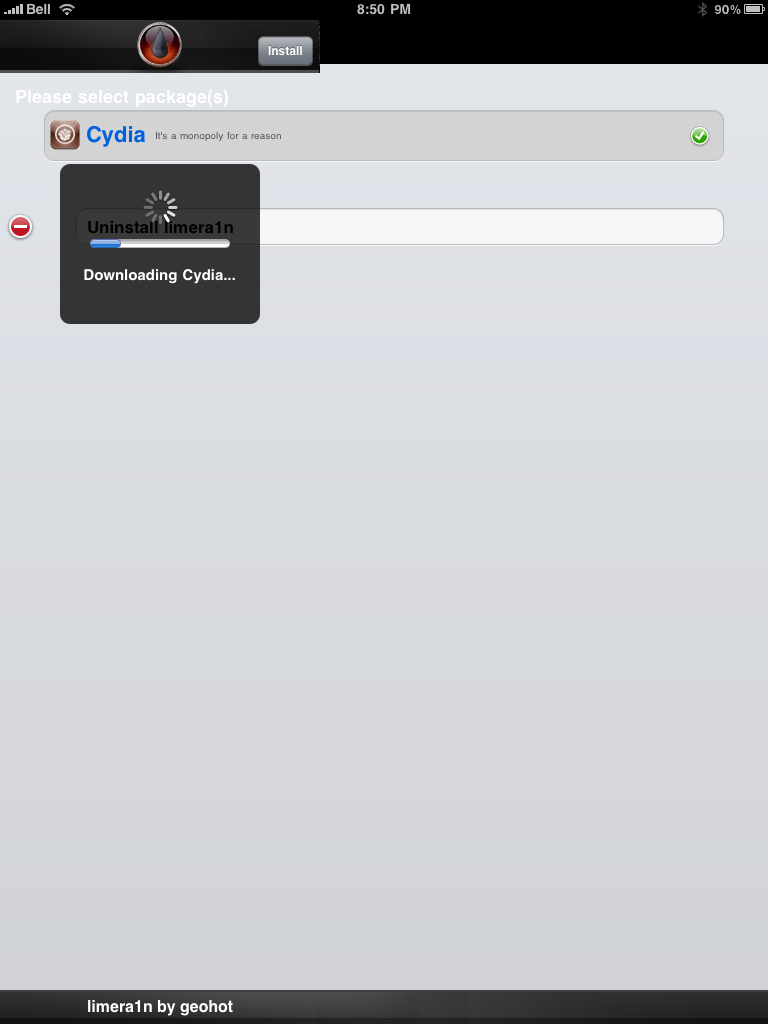
Step Seven
Once Limera1n opens select Cydia then press the Install button at the top right of the screen.
Step Eight
Once the Cydia installation has completed you must reboot your iPad.
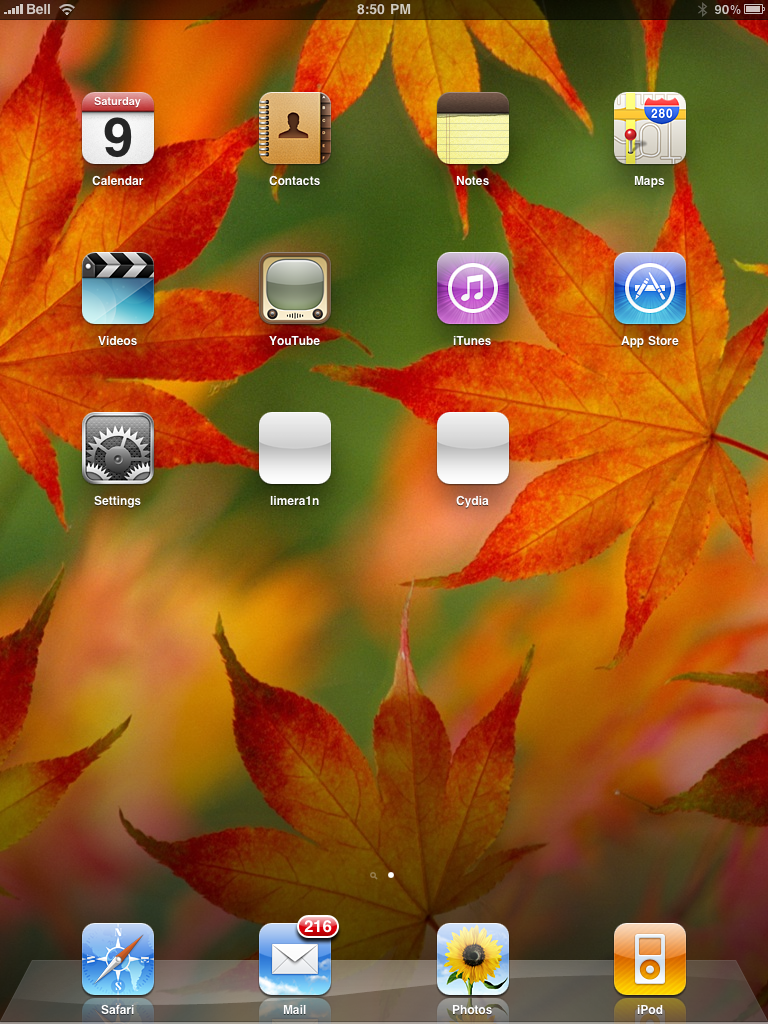
Step Nine
When your iPad has restarted you can run Cydia. Let it do all the necessary updates.
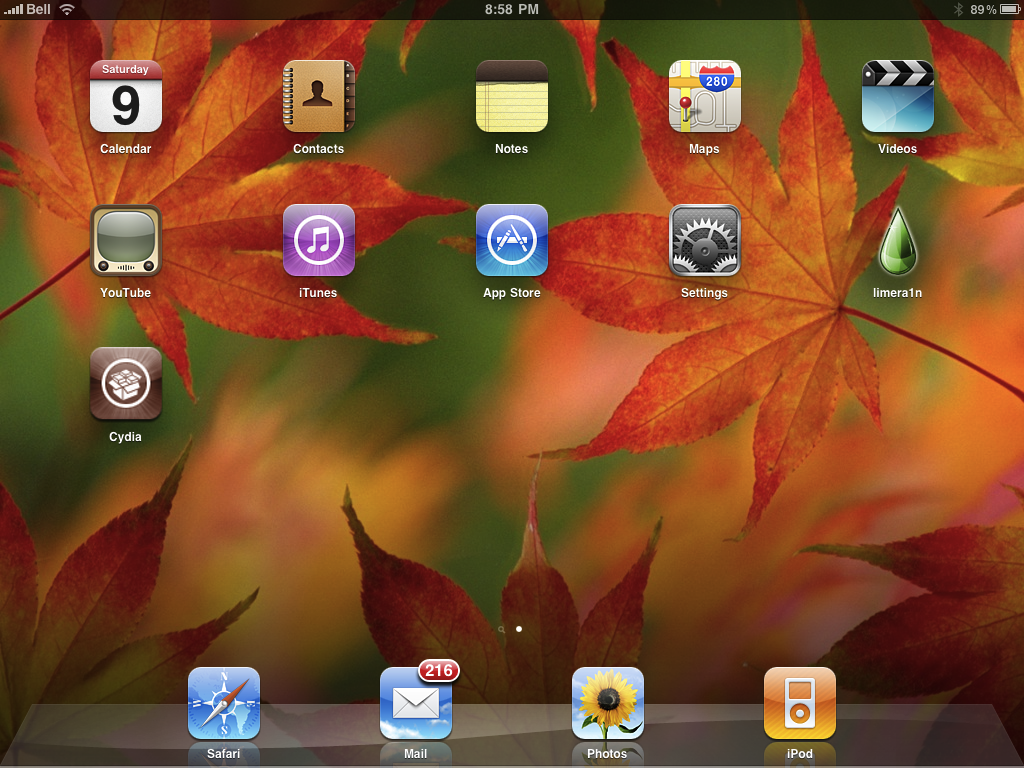
NOTE*: To remove the limera1n icon from your desktop you can install CyDelete from Cydia then use it to delete the application. Eventually this capability should be present in limera1n itself.
***A big thanks goes everyone who made this jailbreak possible
Which Jailbreak To Use - GreenPois0n or Limera1n or Sn0wbreeze?
- Suddenly, there are 3 announcements regarding the release of Jailbreak solution - GreenPois0n, Limera1n and Sn0wbreeze.
- For the past couple of months, the Jailbreak scene was focusing on GreenPois0n and finally the Chronic Dev Team announced its going to be release 10.10.10 @ 10.10 am GMT.
- Limera1n would mess up Greenpois0n release. Thus, it is suggested to wait for Greenpois0n if you believe Greenpois0n will be your future path for other Jailbreak updates later.
- Why Geohot suddenly appear in the Jailbreak scene when most people have given up due to his silence and disappear from the Jailbreak world?
- Geohot's Limera1n might give two exploits which is not a wise solution for the Jailbreak hackers.
- Quite a number of reviews showed that Limera1n is not perfect. Furthermore, Geohot have a habit of not maintaining its code and can "disappear" again. You might be taking a risk by not waiting the Greenpois0n solution.
- Don't forget to save your 4.1 SHSH Blobs so that you will be able to Jailbreak in the future for 4.2 or newer. The method is shown --> HERE.
UPDATE:
Subscribe to:
Posts (Atom)
LinkWithin
