Konova

Showing posts with label iTunes. Show all posts

Saturday, December 29, 2012

[How-To] - Fix iTunes Error 21


iTunes Error 21 is the most common error users face while performing the restore on the iPhone. Device Firmware Upgrade mode known as DFU mode, this mode allows you to restore your iDevice with an original iOSversion or a custom iOS version.


To resolve the iTunes Error 21 in order to restore your iPhone/iPod touch, connect to your device into DFU mode first to get by following the instructions according to your device, The steps below will help getting into DFU mode in case you do not know how to:
  • Connect your device to your PC or Mac via a USB cable and launch iTunes.
  • Hold Home + Power button for 10 seconds.
  • After 10 seconds release the power button off, but keep the Home button pressed until iTunes a little device in recovery mode you find there.
  • Once your device into DFU mode, you see nothing on the screen, only a black image. (See above)
If you successfully performed these steps, iTunes will give you a message that a device was found in Recovery Mode and restore it. Now you SHIFT + Restore in iTunes button to press together, so that iTunes can refer to the iOS firmware to which you are restoring to. If you have followed these steps you should be able to get rid of the iTunes Error 21 while restoring your iPhone. Now you have fixed iTunes error 21, and your iPhone can be restored to an ipsw custom firmware.

[How-To] - Fix iTunes Error 1604,1600, 1601, 1602


How To Fix iTunes Error 1604,1600, 1601, 1602 – while restoring, upgrading or downgrading iPhone 4S, 4, 3GS or iPad3,2,1 or iPod touch on iOS 4.x or iOS 5.x or iOS 6.x on Windows and Mac.
How To Fix iTunes Error 1604,1600, 1601, 1602


Method 1:

  1. Try changing USB ports.
  2. Try using a different dock connector to USB cable.
  3. Make sure that you are using the actual USB or the original.te
  4. Try connect directly to the white Apple USB dock connector cable.
  5. Try update your iTunes to the latest one.
If the issue still appears try method 2

Method 2 :

1- Connect the device to iTunes, then put your device in Recovery Mode. using the steps below
  • Connect your USB cable into your computer.
  • Turn your iPhone off by holding the power button down until you see “slide to power off”.
  • Now hold the Home button while reconnecting the USB cable to your iPhone. After iPhone is connected it should power on the device.
  • Continue holding the Home button, you will see the Apple logo appear and then finally a “Connect to iTunes” will be displayed, now is the time to release the Home button.


2- Restore and wait for the error using the guide posted here

Method 3 :

For iPhone 3G, 2G and iPod Touch 1G, iPod Touch 2G users running OS 3.1.2 can use iREB to fix error 16xx or 29:
1- Download iREB and Start iTunes.
2- Put your iPhone into DFU mode.
  • Hold down power button and home button both at the same time for 10 seconds
  • After the 10 seconds release the power button and still pressing on the home button for another 10 seconds
3- Now close iTunes and Start iREB on your PC.
4- Select your device and wait for a few seconds till you get white or a red screen on your iPhone.
5- Open iTunes then press and hold left “alt” button on Mac or “Shift” button on Windows on the keyboard and then click on “Restore” button in the iTunes. Select a custom firmware .iPSW file and restore it. (note: this method doesn’t  require a jailbroken devices)

Method 4 :

How To Fix iTunes Error 1600, 1601, 1602
if the above steps don’t solve your issue try to resolve it by disabling, deactivating, or uninstalling third-party security, antivirus, and firewall software on your computer.
If the above methods don’t solve your issue so its better to check your computer, cable and network connection.

Source: Absinthejailbreak


TOP [How-To] Tips 

[How-To] - Fix iTunes Error 3194


When you are attempting to update, restore or downgrade iPhone, iPad, iPod touch or iPod shuffle iOS on Windows or Mac, the iTunes error 3194 message may appear similar to the following:
This issue often occurs when you upload a jailbroken firmware that is not recognized by the Apple firmware signing services on your iTunes. To fix the error, follow these steps below:
  1. Close the iTunes.
  2. Locate the hots file:
    • in Mac OS X, it is /etc/hosts
    • in Windows, it is c:\windows\system32\drivers\etc\hosts
  3. Open the hosts file with Notepad.
  4. With Administrator privileges, at the bottom of the Notepad, type the following line:
    • 74.208.105.171 gs.apple.com
  5. Connect iPhone to computer.
  6. Run the iTunes.
  7. Turn off iPhone/iPad/iPod and hold down the sleep and power button for 10 seconds.
  8. Release the power button but hold onto the home button until the iTunes displays the device is in recover mode.
  9. Use iTunes Restore feature with the iOS device as usual.
  10. After iOS have been updated, delete the "74.208.105.171 gs.apple.com" line from the hosts file, and then the iTunes can correctly update again.

Tuesday, January 3, 2012

Apple vs Google. "Closed" vs "Open".

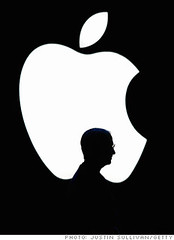
Steve & Apple Inc.Image by marcopako  via Flickr

I hate when some people give name calling to companies like Apple. Below is my respond to one of the Forum post in Low Yat Net.
This is also a continuation of my article posted regarding "Are you an Android or iOS Fan?"

------------------------------------------------------

Both Apple and Google have to different business strategy.
You cannot simply start calling names Apple as "n00bs" market segment or "kiddie toys" when you don't know how much Apple is worth as a Company nowadays.

Google makes money out of its advertising business. Thus, data, information and knowledge is very important for them. Google is not in the business of hardware like Apple. That's why they gave out Android almost for free (or totally free probably) to handset makers. Google is very clever in trying to make all smartphones to have Android. When people use their device, they will capture the user profile. Smartphones are more personal than normal desktops. Thus, usage of smartphones can be leverage by Google for Advertisements. Users are being profiled this way.

Now Google is moving another step further into the realm of "Internet of Things" or IoT. Why Google is interested in this? My personal opinion is that they would like to capture the profile of "Things" such as Fridge, Cars, Electrical appliances etc. These "things" will have sensors that sends out data. And this data is what Google is interested. In future, Google will exactly know what devices or "things" in your house and what are your buying preferences (brands, types etc).

But Apple Inc, is not trying to capture this market. They have tried to open their Macintosh OS to other hardware players previously but it failed. To understand why Apple have a "closed" system is to understand Apple history and how Steve Jobs built the Company. This is a long story and I suggest read the latest "Steve Jobs" book. But to make it short, Steve wanted to make his product a perfect product and closed. That's why people even have difficulty to open up Apple products without a proper tool (Apple even design a special screwdriver to open up their product). They don't even allow user to change the iPhone battery so easily! (Take a look at Samsung phone - see how many people in the Forum is trying to buy spare batteries!!).

Steve Jobs is meticulous in designing Apple products. Before Steve joined back Apple, the company has so many products that they need a Chart to show the product line. Steve terminated so many and finally chose a few to continue. Apple iOS is closed and they never allow users to mod it. But the hackers are always 1-step ahead of Apple. This cat-and-mouse game of Jailbreaking will always continue but that's what excite some of the users.

But why Apple chose a "closed" system as their business strategy? Apple not only in the software business but also in hardware business (unlike Google). Thus, selling hardware is also their main business and the only way is to ensure they control the Quality of their products is to have a "closed" system. Apple has Millions of users even before they launched iPhones. iPods and iTunes are the beginning of their Apple eco-system - now they have entered the music industry with iTunes and iPods/iPod Touch, TV industry with their Apple TV, phone industry with their iPhones, Games and Media industry with their iPads, Computing industry with their Macs and Cloud business with their iCloud.
As for the "closed eco-system" users, they will benefit from high quality and seamless usage experience (if you were to choose all products from Apple). What's more important for these kind of users are productivity and change the world with Apple products. Unlike most Android users who always "kill their time" with "modding" their gadgets but not doing so much about productivity (my personal opinion when reading the Forum posts).

Thus - Apple is not a eyeing a "n00b" market segment and neither its iPhone is a "kiddie" toy.
Learn more about both Companies and you will respect both of them. Its either you are in the "open" market segment or "closed" market" segment.

Its either you love it or hate it.

Tuesday, December 20, 2011

Apple Releases iTunes 5.2.1 - But is it Jailbreak Safe?

What's new in iTunes 10.5.2

iTunes 10.5.2 includes several improvements for iTunes Match and fixes an audio distortion problem when playing or importing certain CDs.

iTunes 10.5.1 included:

• iTunes Match. Store your entire music library in iCloud, including music you've imported from CDs, and enjoy your collection anywhere, anytime, on your iPhone, iPad, iPod touch, computer, or Apple TV. 

• iTunes in the Cloud. iTunes now stores your music and TV purchases in iCloud and makes them available on your devices anywhere, any time, at no additional cost.

• Automatic Downloads. Purchase music from any device or computer and automatically download a copy to your Mac, PC and iOS devices. 

• Download Previous Purchases. Download your past music, TV, app, and book purchases again, at no additional cost. Previous purchases may be unavailable if they are no longer on the iTunes Store.

• Sync with your iPhone, iPad, or iPod touch with iOS 5.

• Wi-Fi Syncing. Automatically sync your iPhone, iPad, or iPod touch with iTunes any time they're both on the same Wi-Fi network.

For information on the security content of this update, please visit: support.apple.com/kb/HT1222

Monday, November 28, 2011

[HOW-TO] - Initiate iTunes WiFi Sync in iOS 5?


  • When you plug in your iOS device into iTunes with the USB cable, and click on your iOS device in the left column, there is a Summary screen to display the features of your iOS device. 
  •  It is the main summary screen for your iPhone/iPad/iPod Touch. 
  •  At the bottom of the Summary screen, there is a check box to sync the device using Wi-Fi.

Tuesday, July 20, 2010

App Store Strategy - Closed Wall Garden Approach

A couple of years back, many telcos tried the "Wall Garden" approach whereby the telcos have their own branded "portal" or "website" that gave their subscribers the ability to access and download contents such as music, ringtones, wallpapers etc. i-Mode is a typical success story. However, it seems this approach cannot be successfully duplicated in other countries. Why?

  1. The phones (unlike today's smartphones) are not ready to download contents like music and applications. They are "meant" to download simple contents such as ringtones and wallpapers which are easy to be duplicated elsewhere. The subscribers can easily cut .mp3 files to be ringtones and also create their own wallpapers using free Utilities.
  2. Most portals are being created by major phone manufacturers themselves like Nokia. There are attempts by various music portals to be offered as part of the telcos wall garden portals. These various content providers makes the handling of telco portal a nightmare. The telcos are not in a good positioned to become a content aggregator.
So, how different is today's Mobile Portal? Apple has introduced iTunes Store for many years (since 2003 and later launch App Store in 2008) and their first customers are on fixed Internet. Initially focused on entertainment contents, they have now moved to application contents. When Apple introduced the iPhone in 2007, the whole mobile Internet landscape have immediately changed. Why?

  1. Apple have Millions of loyal customers before they launch their 1st smartphone i.e. iPhone and the App Store. They are PC, Mac, iPod and iPod Touch users. All of them require iTunes to sync the music, video and the apps.
  2. Even though they have iPhone users, there are still a big percentage of the customer base are using iPod Touch to access the Net. Most of the iPod Touch users are young ones who cannot afford to pay high mobile data charges.
  3. Once the young users become a working adult, they are now able to buy a higher end device such as smartphone and also afford to pay for the mobile data charges.
  4. Most of the Apps found in the App Store requires a connectivity to Internet.
  5. The commercial app is cheap - begins from USD 0.99. Thus, number of downloads is significantly high.
  6. Apple Store provides a consistent purchasing experience and maintain a single portal. Thus, a user felt safe to make a purchase knowing the license are well maintained at a centralized server maintained by Apple. In addition, the user themselves can change device or computer and yet don't have to make another purchase.

ShareThis

LinkWithin

Related Posts Plugin for WordPress, Blogger...